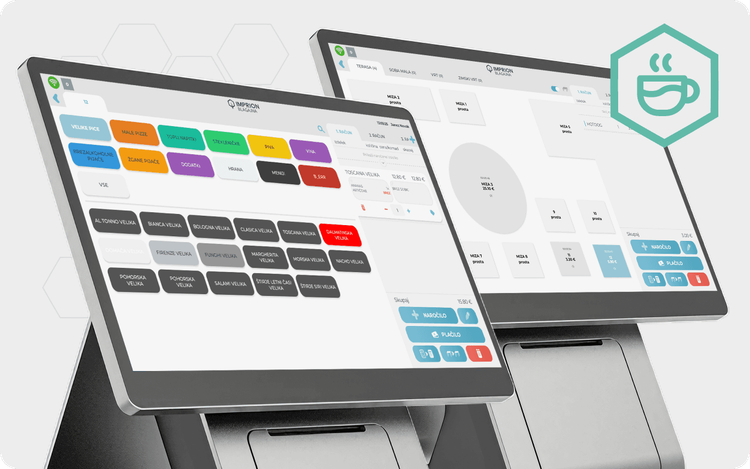
Cash float in the Imprion POS system digitalizes cash control, prevents register discrepancies and enables faster end-of-day closing
Business without compromise
Try our POS system
Discover the solution that brings sales, staff and analytics together in one system.
If you often ask at the end of the day, “Why doesn’t the cash balance match expectations?”, the problem is usually manual cash float management.
The new Cash Float functionality in the Imprion POS system digitalizes cash control — from the opening deposit to shift closing — and provides complete traceability of all changes.
Result: fewer errors, faster closing procedures, and a clear overview of operations.
Quick Facts
- set starting cash float at shift start
- record all cash changes during the day
- automatic difference calculation at closing
- full history of register interventions
- overview in the back-office dashboard
- works on Android mobile and Windows stationary POS systems
Why Do Cash Register Differences Occur?
In most businesses, the problem is not employees — but the process.
Most common causes:
- multiple employees use the same register
- cash is added or removed without records
- manual notes get lost
- end-of-day closing relies on guessing
Without traceability, discrepancies appear.
Cash Float eliminates this issue through automatic logging.
What Is the Cash Float Feature?
Cash Float is a digital cash management system inside the Imprion POS that tracks money throughout the entire working day.
Instead of paper notes, Excel sheets, or employee memory, the system keeps records automatically.
How Does It Work in Practice?
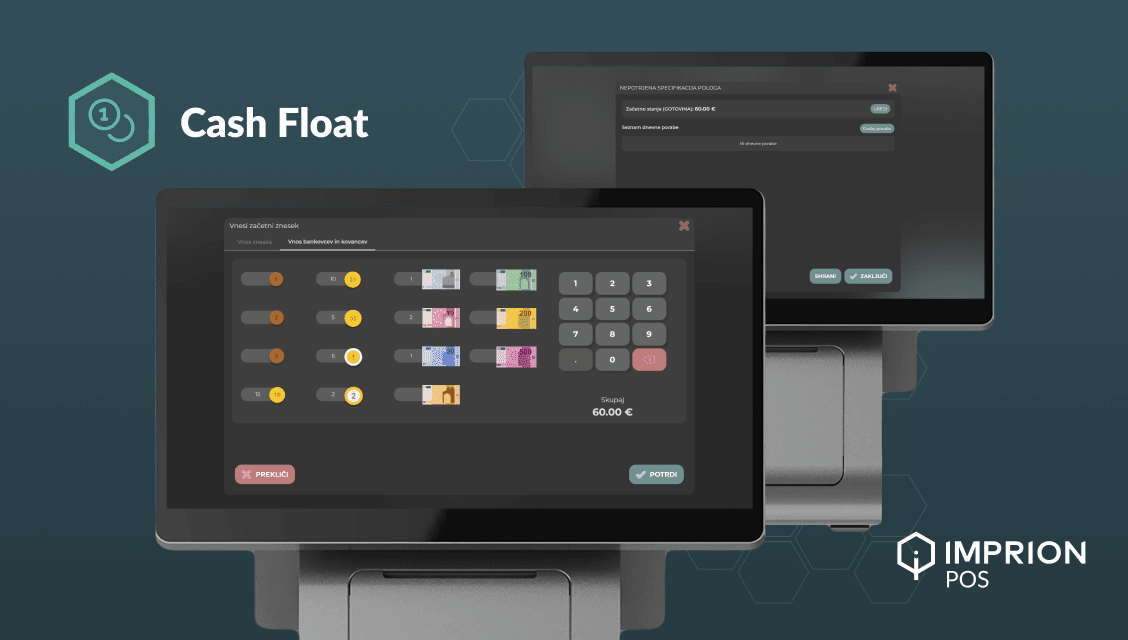
1. Shift Start – Entering the Initial Amount
When logging in, the employee enters the starting cash amount.
Example:
The system saves this as the day’s baseline.
2. Cash Monitoring During the Day
Every change is recorded:
- cash added
- cash withdrawals
- expenses
- corrections
✔ every action has a timestamp
✔ every change is linked to a user
3. End-of-Day Closing Without Calculations
At closing, the POS automatically compares:
- expected balance
- actual balance
The difference is displayed immediately.
No manual checking or recounting required.
4. Complete Change History
Management can check anytime:
Everything is visible in the web-based POS management system.
Who Benefits Most From This Feature?
Hospitality
- bars and cafés with multiple shifts
- restaurants with several waiters
- high-traffic locations
Service Businesses
- hair and beauty salons
- repair services
- flower shops and bakeries
- businesses with cash payments
Retail
- small shops with many small transactions
- florists and bakeries
- simple daily turnover control
Technical Requirements
- Android mobile POS or Windows POS
- back-office access via browser
- multiple user permission levels
- secure storage and centralized data logging
Real Example: Café With Multiple Shifts
Before Implementation
- 10 minutes to close a shift
- frequent cash discrepancies
- searching for the responsible employee
After Implementing Cash Float
- closing completed in 1–2 minutes
- clear records
- less stress for staff
Biggest change: transparency.
How Cash Float Helps Management
Cash Float enables:
- faster cash supervision
- fewer internal misunderstandings
- more accurate business records
- less time spent closing registers
Packages and Pricing
Cash Float is part of the Imprion POS ecosystem, which includes:
- sales and payments
- analytics
- integrations (e.g., Wolt)
- digital tipping
- centralized business management
The price of the Imprion POS depends on the number of registers and selected package.
Take Control of Cash Without Extra Work
Cash Float is not just another POS feature — it’s a way for businesses to establish cash control without additional workload.
- Less guessing.
- Fewer mistakes.
- Faster closings.
👉 Want to see it in action? Book a free demo and discover in 30 minutes how the Imprion POS system can speed up operations in your business.
Business without compromise
Try our POS system
Discover the solution that brings sales, staff and analytics together in one system.