




Your till, connected to your AI – ask anything about your business
Imprion PoS MCP connects your Imprion POS till to Claude, ChatGPT or any other MCP client. Plain language instead of reports and exports — real-time data, securely, with your Imprion account.

How were sales this week compared with last week?
This week you made €5,480 in revenue from 187 bills — that's 12.9% more than last week.
What should I order by Friday?
Order urgently before the delivery: draught lager ~120 L, coffee ~4 kg and Cockta ~48 pcs.
Everything else is covered for more than two weeks.
Imprion PoS MCP · your till and AI
You ask. Your till answers.
Imprion PoS MCP is the bridge between your till and the AI assistant you already use. You type a question in Claude or ChatGPT, and the AI reads your till's live data through the MCP server and puts together an answer — a figure, a period comparison, a chart or a recommendation. No reports, no exports and no spreadsheets.
Plain language
A question instead of a report
Ask the way you would ask a colleague — “how much did I make yesterday”, “where am I losing money”. No filters, date ranges or formulas: the AI picks the right tools and data by itself.
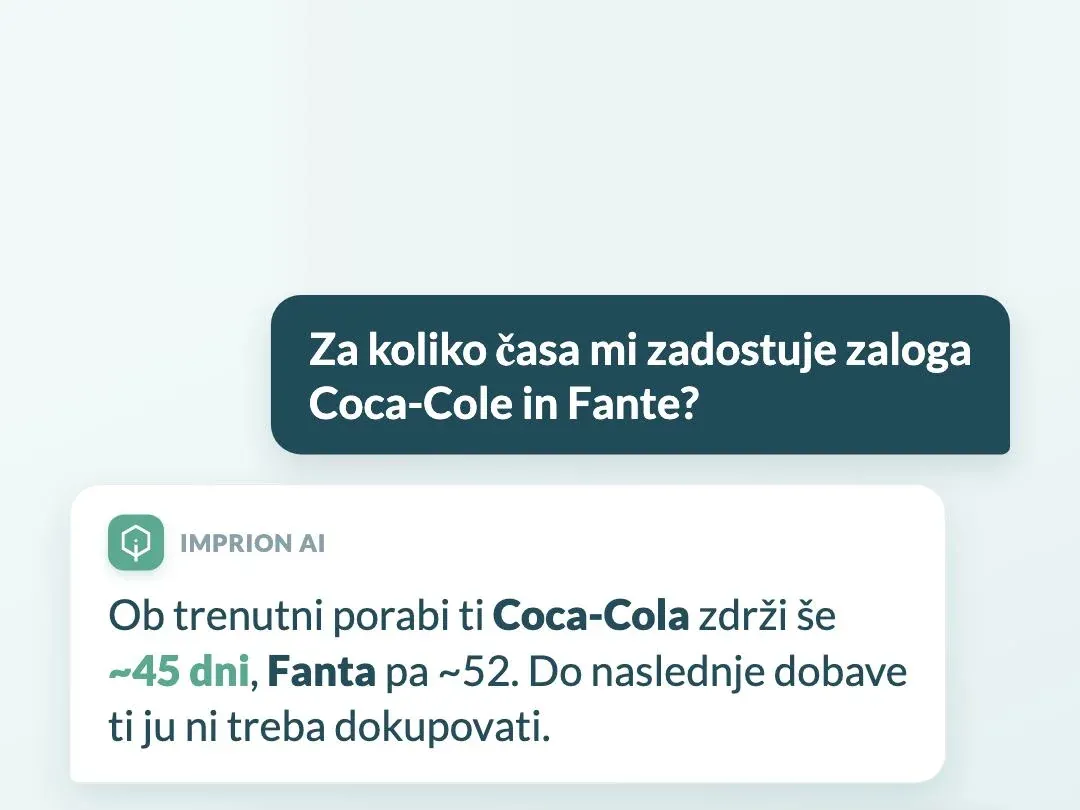
Charts and analysis
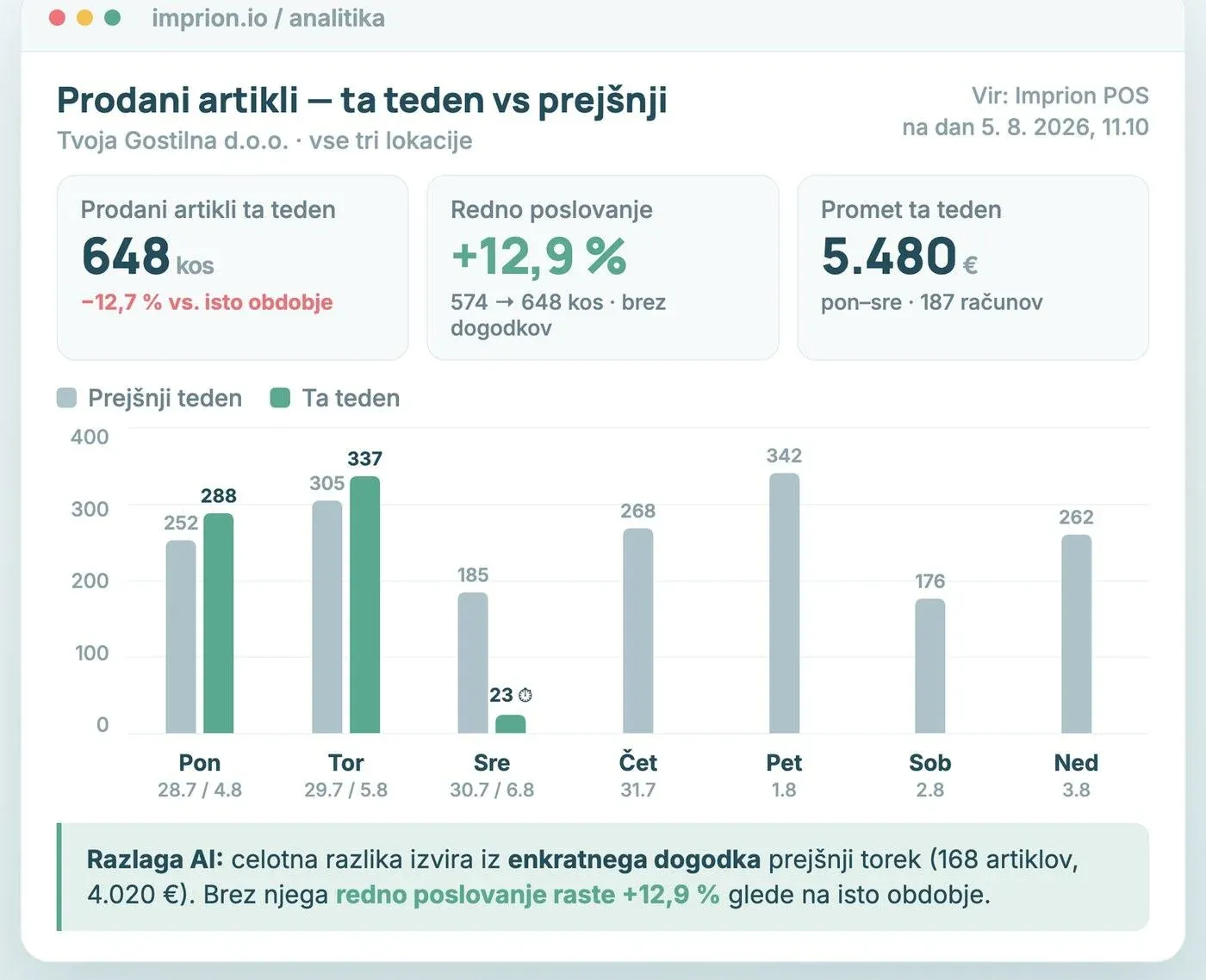
An answer with a chart, not an Excel export
The AI turns your data into a day-by-day comparison, a table or a chart — and explains what moved the numbers. You can dig deeper straight away with a follow-up question.
Real time
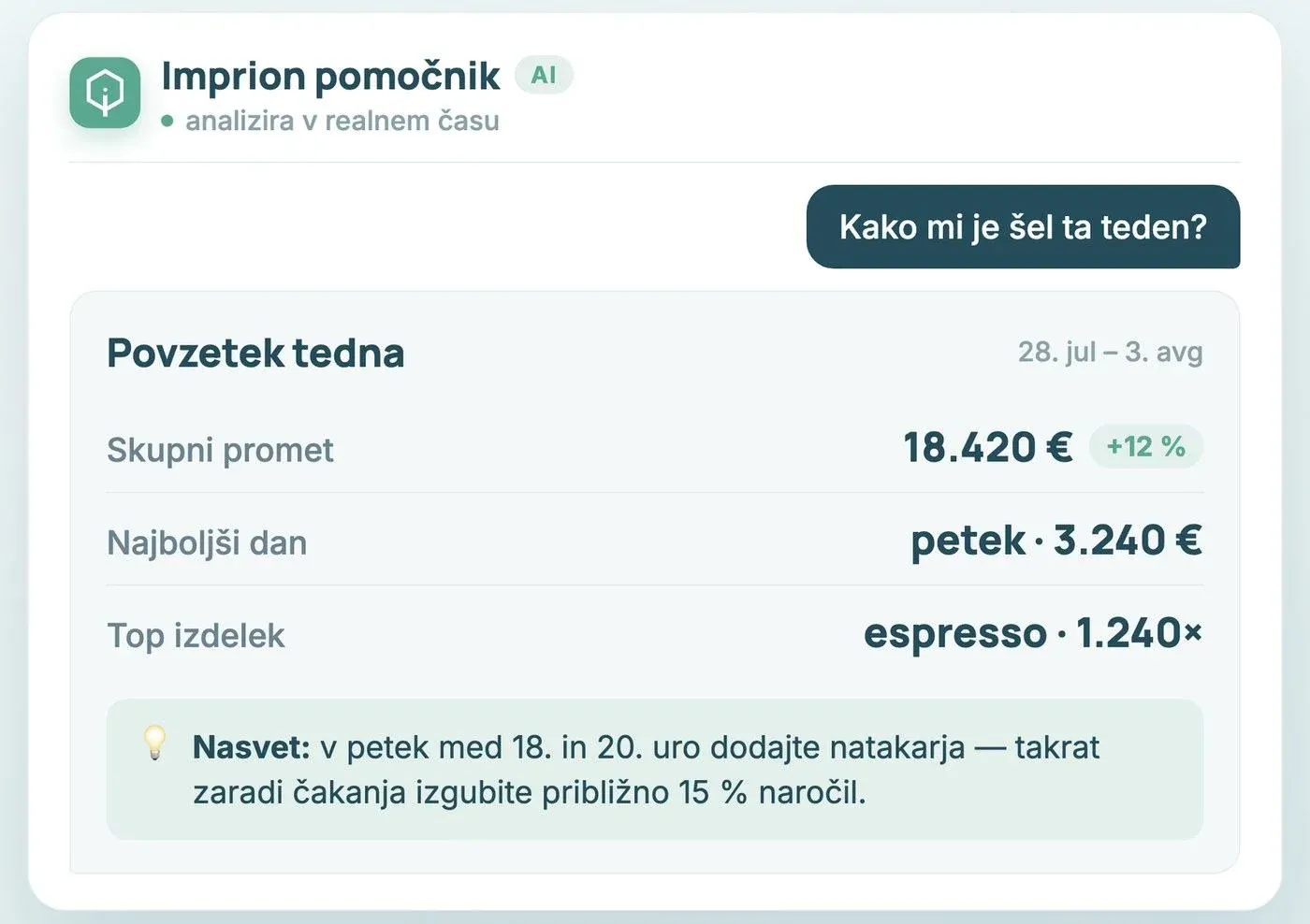
Live figures and practical advice
Data is read the moment you ask, not taken from yesterday's export. Along with the figures, you also get a suggestion of what to do about them.
Example questions
What you can ask
Write your questions your own way, and the AI picks the data and the period by itself. Click a question to see how it answers.
Choose a question
Your AI assistant
Claude or ChatGPT
Where am I losing money?
AI assistant
Everything checks out at the till. The biggest room for improvement is in delivery prices, which account for 12% of revenue.
- €16,200
Delivery prices
prices only ~€1 (7–8%) higher than in-house
- ~€1,200
Own consumption
wine, mineral water, draught beer and large pizzas
- ~€115
Wrong gnocchi price on delivery
€0.60 instead of €3.50 · 40 portions
Tip: Check whether the price difference covers delivery costs such as commission and packaging. Even a small price adjustment could bring in a few thousand euros a year.
The examples are based on a real conversation between a pizzeria and an AI assistant. The venue's name, the staff names and all figures have been changed, but the proportions between them remain realistic.
MCP server
Among the first in Slovenia with our own MCP server built for our product
MCP (Model Context Protocol) is an open standard that lets AI assistants access data in other systems. Imprion PoS MCP is such a server for your till: it gives the AI tools to read sales, items and price lists, stock and staff data — with no manual exports and no spreadsheets sent back and forth.
- Open standard — works with every client that supports MCP
- Read-only access: the AI reads and analyses data but never changes it
- Sign in with your Imprion account (OAuth) over an encrypted connection
- Real-time data, straight from the till
Server address
https://mcp.pos.imprion.cloud/mcp
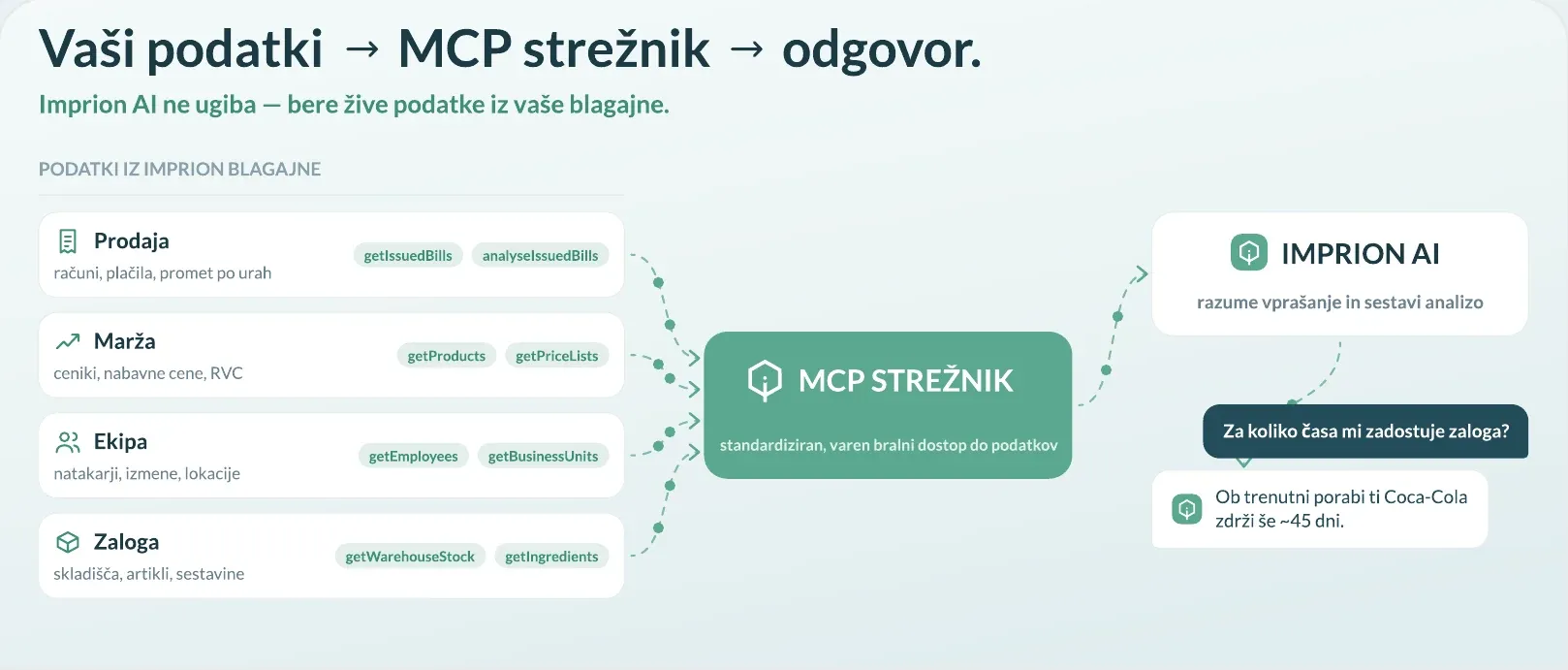
How the connection works
From question to analysis in a single conversation
Your AI assistant is connected to the till through the MCP server. When you ask, it works out which data it needs, reads it and builds the answer from it. You don't re-enter or export anything — it uses the data your till already keeps.
You ask in plain language
In Claude or ChatGPT, you type a question about your business — conversationally, in Slovenian or English.
The AI thinks it through and picks the tools
From your question, the AI works out what it needs and picks the right MCP server tools (bills, items, price lists, stock, staff).
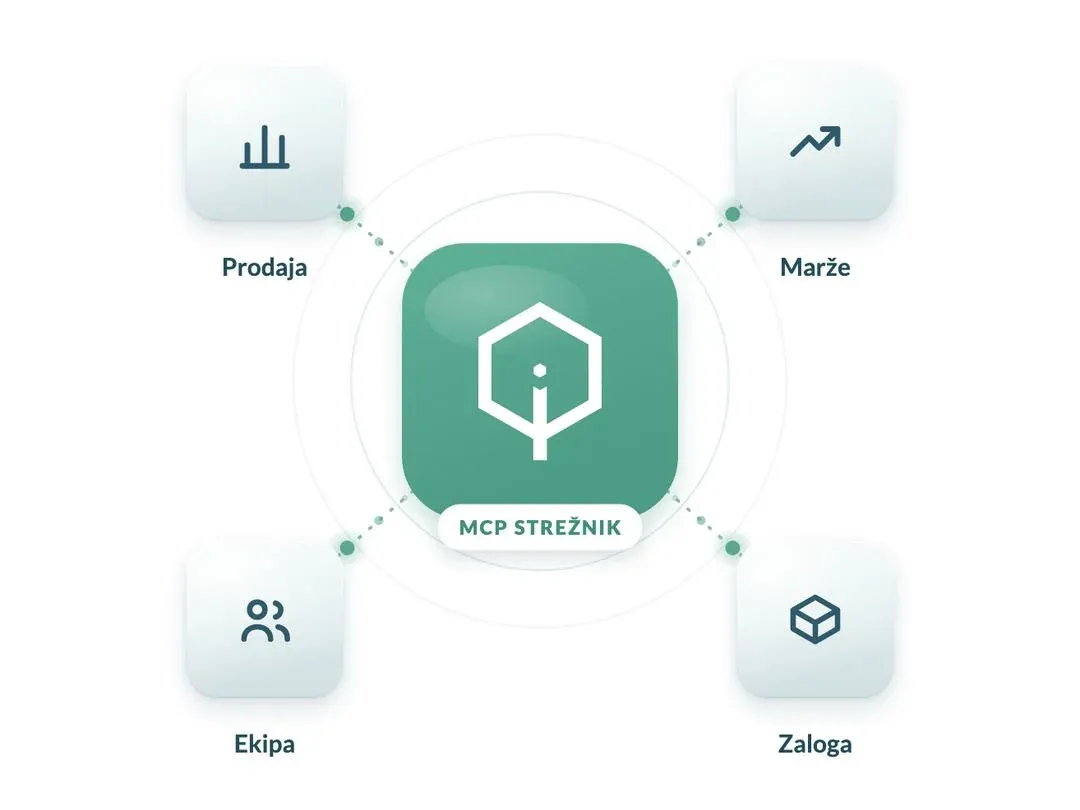
MCP reads the right data
The server reads, in real time, only the data needed for the answer — bills and payments, price lists, stock or staff data.
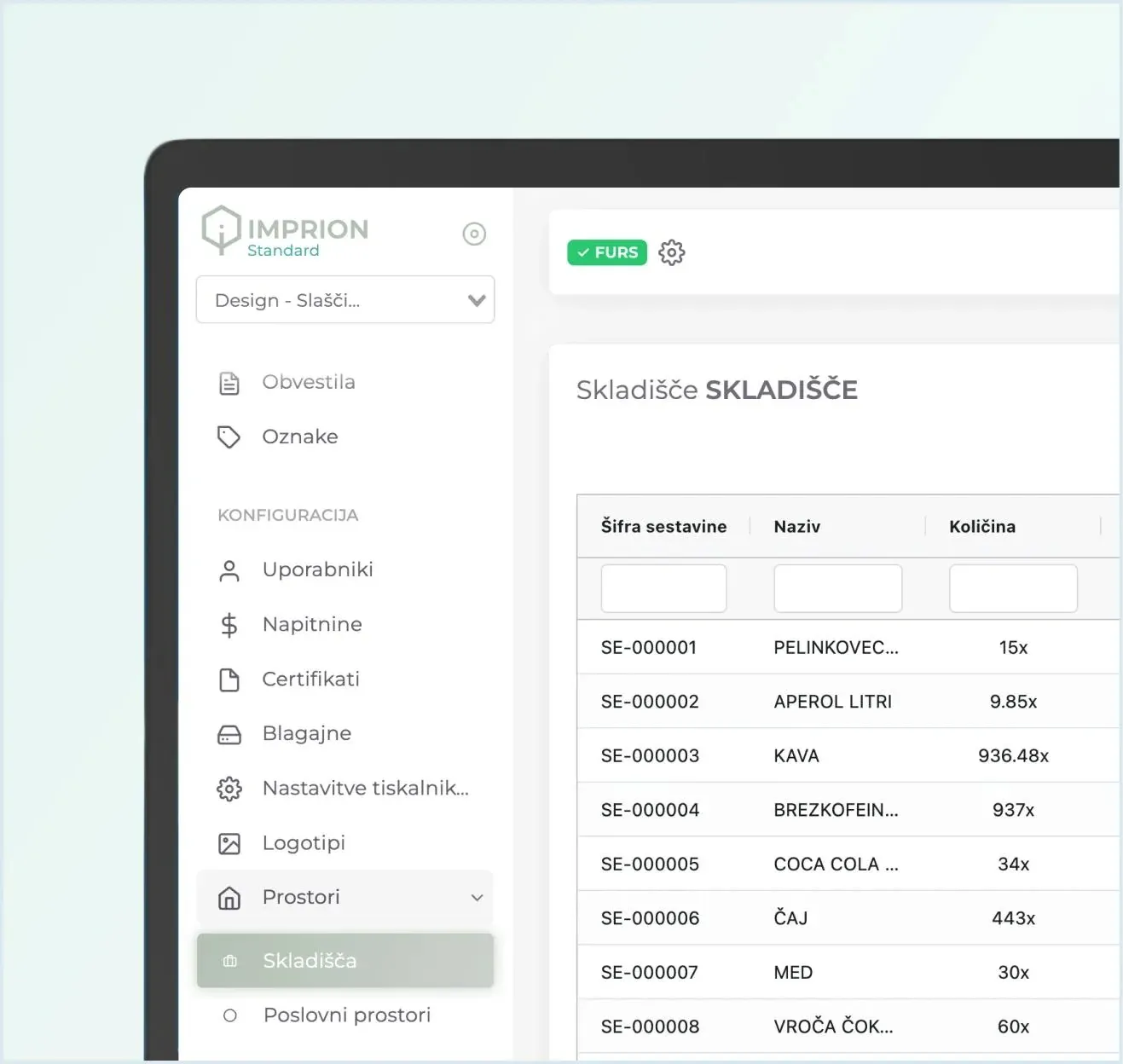
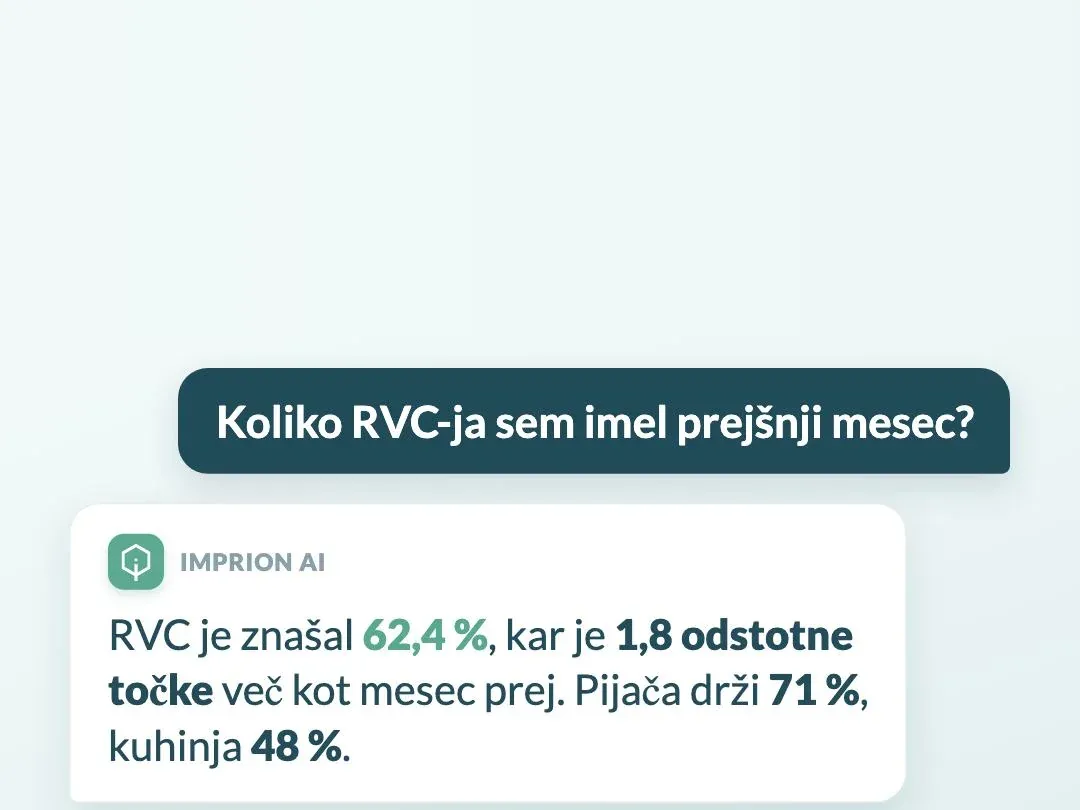
It builds an analysis or chart
The AI combines the data, does the calculations and answers in full sentences — with figures, period comparisons, a table or chart, and an explanation.
Available any time
Ask from your computer or phone, at the weekend or on holiday — no waiting for a report.
Video
AI analytics in 30 seconds
See everything you can ask your AI once you connect it to your Imprion till through the MCP server.
- 1Ask anything about sales
- 2Who is the best on the team
- 3When it gets busiest
- 4What to order this week
AI analytics
Your Restaurant Ltd.
How much did we sell yesterday?
Yesterday you sold €2,184 — 64 bills, average bill €34.13.
Sales
Ask
anything.
Whatever you want to know about your business, just ask in plain English.
Integration price
Included in every Imprion POS plan
Access to Imprion PoS MCP is included in all Imprion POS plans — Essential, Standard and Premium. It is not a paid add-on and you don't need a new device: all you need is your Imprion account and your own AI client (Claude, ChatGPT or another MCP client).
Integration price
- Essential, Standard and Premium
- Questions in plain language
- Connected in two minutes
You need your own AI client
Imprion PoS MCP gives you:
- Sales analysis with period comparisons
- Item and stock overviews with recommendations
- Bills, payments and revenue by hour
- Answers in plain language
- Charts, tables and explanations alongside the figures
- Secure sign-in with your Imprion account (OAuth)
For all Imprion POS users
Whatever your industry or size
The AI connection is available to all Imprion POS users — in hospitality, services and retail, with a single till or several locations. Access is tied to your Imprion account and the permissions you already have.
Owners and managers
For those who need to know quickly how things are going — revenue, margin, top products and staff, without digging through reports.
- Revenue, margin and top products on request
- Answers in plain language
Accounting and administration
For monthly reviews, checking payment methods and running checks before closing the books — with no adding up by hand.
- Bills, payments and daily revenue
- Period comparisons without exports
Multi-location businesses
For chains and companies with several business units, where locations need to be compared with each other and discrepancies spotted quickly.
- Compare locations in a single question
- Less time spent preparing reports
Setup
Connect your AI in two minutes
You set up the connection yourself, in your AI client's settings. Full instructions and the server address are at mcp.pos.imprion.cloud.
You have an Imprion till
You need an active Imprion till and your own Imprion account — access is included in every plan.
Choose your AI
Use Claude, ChatGPT or another client that supports MCP. If you don't use one yet, install it and create an account.
Add the server address
In your client's settings, add a connector and paste the address https://mcp.pos.imprion.cloud/mcp.
Sign in with your Imprion account
Confirm the connection by signing in (OAuth) to your Imprion account. The AI gets access to data within your permissions.
Ask your first question
Ask “how were sales this week compared with last week?” and get an answer from your own data.
Instructions
Connect Claude or ChatGPT
You set up the connection in your AI client's settings — nothing to install and no changes to your till. The same steps apply to any client that supports MCP.
Claude
Settings → Connectors
- 1Open Settings → Connectors and select Add custom connector.
- 2Paste the server address https://mcp.pos.imprion.cloud/mcp.
- 3Confirm and sign in with your Imprion account.
ChatGPT
Settings → Apps & Connectors
- 1Under Advanced settings, turn on Developer mode.
- 2Select Create and paste the address https://mcp.pos.imprion.cloud/mcp.
- 3Choose OAuth sign-in and log in with your Imprion account.
Full instructions, server address and capabilities overview
https://mcp.pos.imprion.cloud
Frequently asked questions
Questions about AI and the MCP server
What an MCP server is, how to connect your till to Claude or ChatGPT, which data the AI reads, how security is handled and what it costs.
Imprion PoS MCP is a server that connects your Imprion till to an AI assistant such as Claude or ChatGPT. You type a question about your business in plain language, and the AI reads your till's live data through the server and puts together an answer.
MCP (Model Context Protocol) is an open standard that lets AI assistants access data in other systems. An MCP server is the interface that gives the AI tools for reading data — at Imprion, these cover sales, items and price lists, stock and staff data. Imprion is among the first in Slovenia to have its own MCP server for its product.
In ChatGPT, open Settings → Apps & Connectors → Advanced settings and turn on Developer mode. Then select “Create”, paste the address https://mcp.pos.imprion.cloud/mcp, choose OAuth and sign in with your Imprion account. Step-by-step instructions are at mcp.pos.imprion.cloud.
In Claude, open Settings → Connectors → Add custom connector, paste the address https://mcp.pos.imprion.cloud/mcp, confirm and sign in with your Imprion account. Full instructions are at mcp.pos.imprion.cloud.
Claude and ChatGPT are tested and confirmed to work, and you can connect any client that supports MCP. Because MCP is an open standard, new clients work without any changes on the till side.
About two minutes. You add the server address in your AI client's settings and sign in with your Imprion account — no software to install and no changes to your till.
The connection is encrypted, and you sign in through OAuth with your Imprion account — no passwords are shared with the AI client. The AI can only read your data and cannot change or delete anything. Access is limited to your account's permissions, and you can revoke it at any time in the client's settings.
Answers are based on business data — revenue, items, stock and bills. If you also keep customer data in the till (for example, for invoicing business customers), it is accessible in the same way as in the back office, that is, within your account's permissions.
For example: “how much did I make yesterday”, “how were sales this week compared with last week”, “which product earns me the most”, “what was my gross margin last month”, “how long will my stock last”, “what do I need to order by Friday”, “when is my revenue highest” and “where am I losing money”.
Both. The AI answers in sentences and can also prepare a table, a day-by-day comparison or a chart — depending on the question and on what the client you use can do.
Yes. You can write your question in Slovenian, even casually, and you get the answer in Slovenian.
Yes. Because you ask in your own AI client, it works wherever you use it — on a computer, phone or tablet, even when you are away from your venue.
Proven in practice
Businesses that use the Imprion POS system
The Imprion POS system is in daily use in bars, cafés, restaurants and service businesses where speed, reliability and simple work in real-world conditions count. From small teams to multi-site operations – the system supports orders, payments, tips and integrations that genuinely make work on the floor easier.
llaollao – Natural frozen yogurt
"We use the Imprion POS system at all four of our locations and are extremely satisfied with it. The POS is very fast, clear and easy to use, which is very important for our daily operations. It also works reliably and without issues even with a high number of transactions. We would especially like to praise the technical support team, who helped us with all the necessary settings and were always available whenever we needed assistance. The team's responsiveness and expertise are truly at a very high level. Overall, we are very satisfied with the system and can confidently recommend it to other businesses."
Pizzeria Popaj
"Our Pizzeria Popaj has a 30-year tradition, and over the years we have used quite a few different POS systems and software solutions. We are very satisfied with Imprion POS, as the system includes everything you actually need for daily business operations while being very quick to learn. Their support is excellent and fast, and they continuously keep the system up to date with regular improvements. When using Imprion POS, it is clear that it was developed by people who truly understand what a restaurant business needs. Kudos to the team – keep up the great work!"
BDM StreetFood
"Excellent POS system and support! Huge compliments to the team!"
ŠD Juršinci
"We have had very positive experiences with Imprion POS. As an association, we use it for our regular operations, and this year we also chose to work with Imprion for our larger event, Noči pod topoli. Even with a high number of visitors, the POS systems proved to be simple, clear and reliable. We would especially like to commend the Imprion team for their responsiveness, professionalism and support – they were always available and ready to help whenever we needed them. We are happy to recommend Imprion to anyone looking for a reliable POS solution and, above all, excellent support. 😊"
Slovenka MB
"We have been using the system for a few months now and are very satisfied! Whenever you need them, they are there and resolve things quickly. 👍"
Gaja Krajnc
"I chose the Imprion POS system for a one-off event and was extremely positively surprised. The system is exceptionally easy and intuitive to use, even for someone using it for the first time. Excellent user experience and a visually appealing product – highly recommended!"
Next step
Want AI in your own till?
Connection instructions are at mcp.pos.imprion.cloud — setup takes about two minutes.