Not sure whether to choose an Android or Windows POS system? Discover the key differences between a mobile and a stationary fiscal POS system and find out which solution best fits your sales model, team size, and business needs.
Business without compromise
Try our POS system
Discover the solution that brings sales, staff and analytics together in one system.
When choosing a modern POS system, businesses most often decide between Android and Windows solutions. The right choice mainly depends on the way you work — whether you need a portable mobile POS or a stationary checkout at a fixed sales location.
The Imprion fiscal POS system supports both options, allowing you to adapt the system to your business without compromising functionality. Companies can start with a single device and later expand the system to multiple registers or locations.
Below, you will learn which POS system is more suitable depending on your sales workflow, team size, and business type.
Quick facts
- The POS system works on Android and Windows devices
- Can be used as a mobile or stationary POS
- Suitable for hospitality, services, and other industries
- Real-time sales analytics and management
- Unified system regardless of device
The Imprion system also enables:
- invoice overview
- remote sales analytics and statistics
- remote cloud-based POS management
Android POS system – a mobile solution for modern business
The Android POS system is today one of the most popular solutions in hospitality and mobile sales because it provides complete flexibility.
Most common use cases:
- terrace or garden service
- mobile waitstaff in restaurants
- stands and events
- seasonal venues
- field sales
An Android mobile POS can run on a tablet or a mobile POS terminal and enables fast invoicing and simple order management.
Main advantages:
- employee mobility
- faster service
- WiFi or LTE connectivity
- card payments directly on the device
- intuitive user experience
This is why Android POS is often the first choice for businesses where speed and flexibility are essential.
Windows POS system – a stable stationary solution
A Windows POS system represents a classic stationary checkout designed for a permanent sales location.
Best suited for:
- restaurants with a central bar
- venues with multiple employees
- businesses operating multiple registers
Advantages of a stationary POS:
- stable working environment
- larger screen
- easy hardware integration
- optimal for fixed sales locations
Many businesses use a Windows POS as their main sales point.
Which POS system should you choose?
In practice, the decision is often connected to workflow and company size.
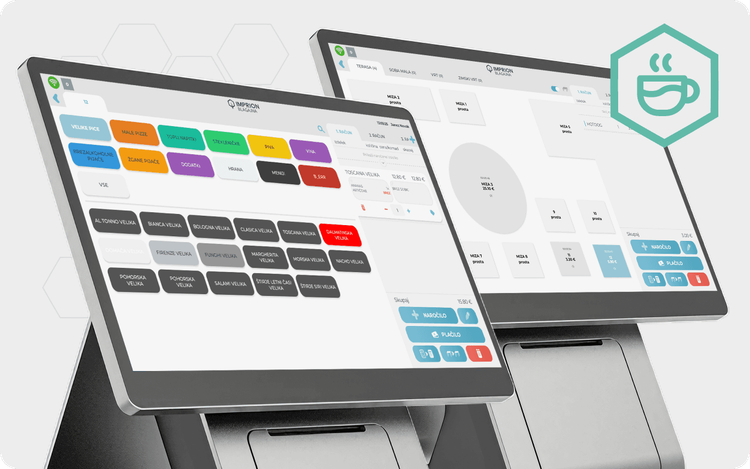
Example: A restaurant uses a stationary Windows POS at the bar, while waiters use Android mobile POS devices for taking orders on the terrace. Orders synchronize in real time, reducing waiting times and order errors.
If you need mobility and faster customer service, an Android mobile POS is usually the better choice.
If sales mainly happen at a single location or multiple employees use the same register simultaneously, a stationary Windows POS may be more practical.
Many businesses choose a combination of both solutions, where:
- the stationary POS acts as the main sales point
- mobile POS devices are used by waitstaff or sales personnel
Such a setup enables better work organization and higher efficiency.
One unified POS system regardless of device
Regardless of whether you use Android or Windows, functionalities remain the same.
The POS system enables:
- invoice issuing
- sales monitoring
- employee time tracking
- multiple payment methods (card/cash)
- automatic end-of-day closing
The Imprion POS system also provides advanced features such as hourly sales analytics, smart digital tipping, and delivery system integrations, giving businesses complete operational control from a single platform.
The Imprion POS system is used by businesses of various sizes — from small venues to multi-location business operations.
👉 Explore all Imprion POS features on the official Imprion website.
Additional system compatibility
Although most businesses use Android or Windows devices, the Imprion POS system also supports a broader ecosystem.
The system can also run on:
This allows businesses greater flexibility when choosing hardware and enables the use of existing infrastructure without additional adjustments.
Who is the Imprion POS system for?
Hospitality
- bars and cafés
- restaurants
- seasonal venues
- terraces
Service businesses
- salons
- service providers
- subscription-based services
For businesses with appointments and reservations, the Imprion Timelee reservation system is also available.
Mobile sales
- events and festivals
- stands
- field work
Why a modern fiscal POS is no longer just a cash register
Today’s POS system represents a central digital business platform.
It enables:
- sales analysis by hours and products
- payment method tracking
- real-time business overview
- multi-location management
- integrations with external systems
Such a system helps businesses improve efficiency, reduce errors, and gain better operational insight.
👉 Book a free demo and see within 30 minutes how Imprion POS can speed up your workflow.
Business without compromise
Try our POS system
Discover the solution that brings sales, staff and analytics together in one system.